

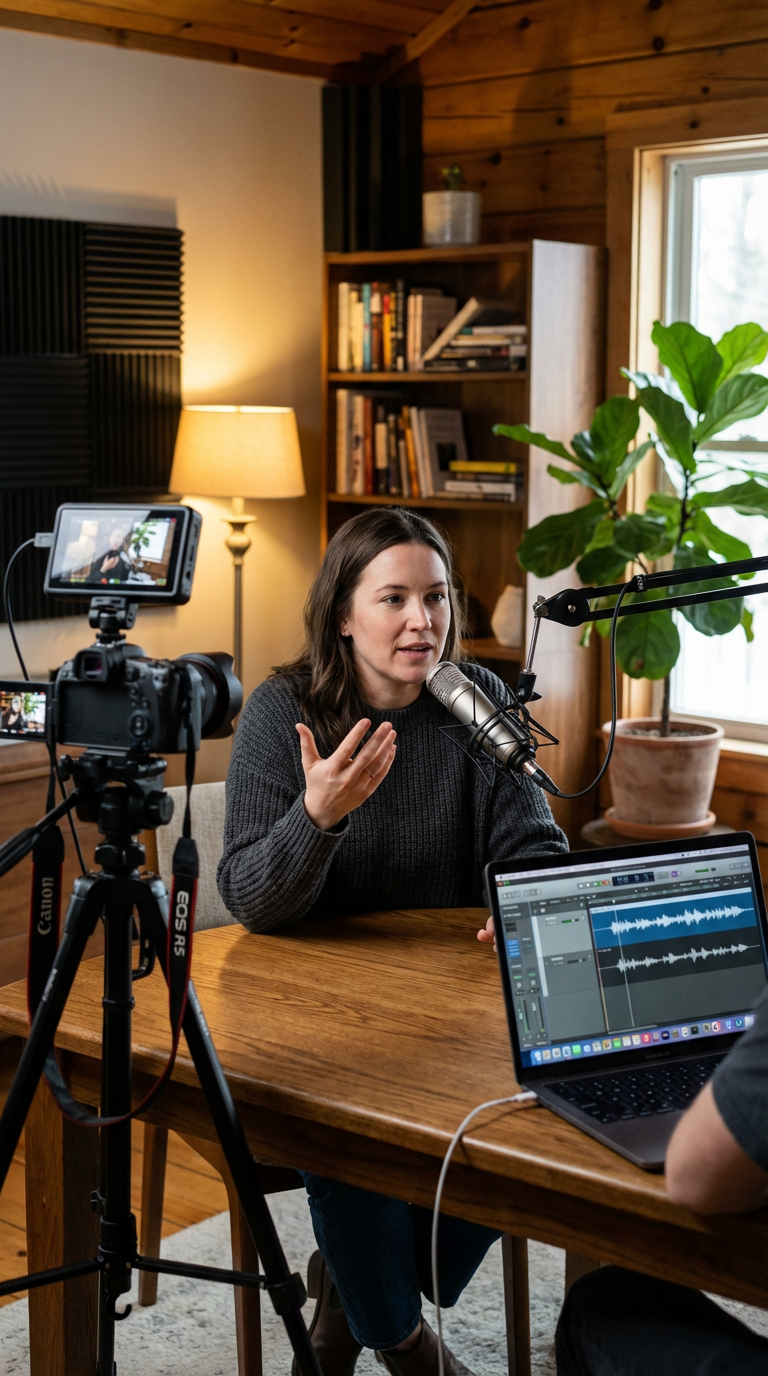

Best Way to Put Your Podcast on YouTube
If you’re wondering what’s the best way to put my podcast on YouTube, you’re asking the right question at the right time. YouTube has transformed from a simple video platform into the world’s most powerful podcast discovery engine. With Google Podcasts shutting down in March 2024, YouTube has become the central hub for audio content across Google’s ecosystem. However, simply uploading your audio files won’t cut it anymore.
The strategy you choose will directly impact your podcast’s growth, discoverability, and audience engagement. In this comprehensive guide, you’ll learn the proven methods, essential tools, and optimization strategies that successful podcasters use to maximize their YouTube presence in 2026.
Why YouTube Is Critical for Your Podcast Growth
YouTube isn’t just another distribution channel anymore. It’s the second largest search engine after Google, which means millions of potential listeners are actively searching for content like yours every single day.
Think about it this way: when someone searches for topics related to your podcast, they’re not just looking on Spotify or Apple Podcasts. They’re searching on YouTube. This platform gives you unprecedented discoverability that traditional podcast directories simply can’t match.
Furthermore, YouTube’s integration with YouTube Music means your podcast can appear in multiple places across Google’s ecosystem. This multi-platform visibility is something every podcast creator should leverage. The question isn’t whether you should be on YouTube—it’s how to do it right.
After working with dozens of content creators, we’ve seen firsthand how YouTube transforms podcast reach. The platform rewards creators who understand its unique dynamics and adapt their content accordingly.
The Two Methods for Putting Your Podcast on YouTube
There are two primary approaches to getting your podcast on YouTube. Each has distinct advantages and limitations. Understanding both methods will help you make the right choice for your specific goals.
Method 1: RSS Feed Submission (The Automatic Approach)
The RSS feed method is the simplest way to get started. You connect your podcast hosting provider’s RSS feed directly to YouTube. Once connected, new episodes automatically upload to your channel and notify subscribers.
Here’s how it works: YouTube takes your audio file and creates a video with a static image overlay. Your episodes appear on both your YouTube channel and YouTube Music. Updates happen automatically whenever you publish new content to your RSS feed.
This method is convenient because it requires minimal ongoing effort. You publish once, and your content distributes to multiple platforms simultaneously. However, there’s a significant drawback that affects your growth potential.
The limitation is straightforward: YouTube creates a basic static image video. This format doesn’t maximize engagement or take advantage of YouTube’s native video features. Consequently, your content won’t perform as well in YouTube’s recommendation algorithm.
Method 2: Manual Video Upload (The Growth-Focused Strategy)
Manual video upload is unquestionably the best way to put your podcast on YouTube if growth is your priority. This approach involves creating actual video content—whether that’s recording yourself on camera, capturing your screen, or using dynamic visuals.
With manual uploads, you control every aspect of your content. You can optimize thumbnails for maximum clicks, edit for better pacing, and structure your videos to match YouTube’s engagement patterns. The difference in results is substantial.
Podcasters who switch from audio-only uploads to video content consistently report dramatic increases in views, subscribers, and engagement. The reason is simple: YouTube’s algorithm favors content that keeps viewers watching, and visual content naturally performs better than static images.
Additionally, manual uploads allow you to leverage advanced features like end screens, cards, and custom thumbnails. These elements are crucial for driving viewers to your other content and building a sustainable channel.
Why Video Content Outperforms Audio-Only Uploads
Here’s a game-changing insight from successful podcasters: including faces on screen dramatically increases view counts. This isn’t just anecdotal—it’s a pattern we’ve observed across countless channels.
One podcaster we studied initially posted audio with static images and saw negligible traction. After switching to video recordings using tools like Descript and Riverside, their view counts increased by over 300%. The content quality didn’t change—only the format did.
YouTube audiences respond to human connection. When viewers see faces, expressions, and body language, they stay engaged longer. This increased watch time signals to YouTube’s algorithm that your content is valuable, which triggers more recommendations.
Even if you’re not comfortable on camera initially, there are alternatives. You can feature guest speakers prominently, incorporate screen recordings for educational content, or use animated visuals to break up audio segments. The key is providing visual interest throughout your episode.
Moreover, video content opens doors for repurposing. You can extract short clips for social media, create highlight reels, and develop supplementary content that drives traffic back to your full episodes. This multiplier effect is impossible with audio-only uploads.
If you’re serious about podcast growth, investing in video production is non-negotiable. The teams at 320 Creative’s services specialize in helping podcasters make this transition smoothly, handling everything from recording setup to post-production optimization.
Essential Tools for Creating Podcast Videos
The right tools make the difference between struggling with technical complexity and executing a streamlined workflow. Fortunately, several platforms have emerged specifically to help podcasters create YouTube-ready content.
Recording and Editing Platforms
Riverside is one of the most popular choices among professional podcasters. It records high-quality video and audio locally, preventing the quality loss that comes with internet interruptions. The platform also includes Magic Clips, a feature that automatically generates medium-length and short-form clips from your recordings.
Descript offers a unique approach by allowing you to edit video by editing text. You can remove filler words, rearrange segments, and polish your content without traditional timeline editing. This dramatically reduces editing time for spoken-word content.
SquadCast and StreamYard are excellent alternatives, each with distinct advantages. SquadCast focuses on studio-quality remote recording, while StreamYard excels at live streaming and multi-platform broadcasting. Choose based on whether you prefer recording for later upload or going live.
Conversion Tools
If you already have audio content and want to convert it to video format, Chopcast.io simplifies the process. You upload your podcast, select your desired video format, and the platform automates the conversion. While this won’t match the engagement of native video content, it’s better than static image uploads.
For creators who want professional results without handling production themselves, working with specialists can accelerate your growth. Strategic partners understand the nuances of YouTube optimization and can implement best practices from day one.
Step-by-Step Process for Setting Up Your Podcast on YouTube
Now let’s walk through the practical implementation. This step-by-step approach ensures you don’t miss critical elements that affect discoverability and growth.
Step 1: Prepare Your Video Content
Record your podcast with video enabled using one of the tools mentioned above. Even if you’re recording remotely with guests, platforms like Riverside and SquadCast capture individual video tracks that you can edit together.
During recording, pay attention to lighting, framing, and audio quality. Good lighting doesn’t require expensive equipment—natural window light or affordable LED panels work excellently. Frame yourself so your face occupies enough of the screen to create connection without feeling cramped.
Step 2: Edit for YouTube’s Format
Edit your content with YouTube’s viewing patterns in mind. The first 30 seconds are crucial—hook viewers immediately with a compelling preview of what’s coming. Consider starting with the most interesting moment before introducing your show.
Keep pacing tighter than you might for audio-only podcasts. Remove long pauses, tangents that don’t add value, and any segments where visual interest drops significantly. YouTube viewers are less patient than podcast listeners who might be multitasking.
Step 3: Create Compelling Thumbnails
Your thumbnail is the single most important factor in whether someone clicks on your video. Use high-contrast images with faces showing clear emotions. Add bold text that creates curiosity or promises value.
Test different thumbnail styles to see what resonates with your audience. Tools like Canva offer templates specifically designed for YouTube thumbnails. Invest time here—a great thumbnail can double your click-through rate.
Step 4: Optimize Your Metadata
Write titles that include your target keywords while remaining compelling to human readers. Your description should expand on the title, include relevant keywords naturally, and provide timestamps for different segments.
Add tags that cover your main topic, related subtopics, and broader category terms. While tags are less important than they once were, they still help YouTube understand your content’s context.
Step 5: Organize Into Playlists
Create a dedicated playlist for your podcast episodes. YouTube allows you to designate playlists specifically as podcasts, which makes them automatically appear on YouTube Music. This extends your reach across multiple platforms simultaneously.
You can also create topical playlists that group episodes by theme. This helps viewers find related content and increases session watch time, which YouTube’s algorithm rewards.
Step 6: Manage Privacy Settings
If you’re uploading multiple episodes at once, you can streamline the process by initially setting them to private. Once you’re ready to launch, select multiple videos at once and change them to public simultaneously. This prevents incomplete channel setups from affecting your initial audience impression.
Optimization Strategies: Making Your Podcast Discovery-Friendly
Understanding the best way to put your podcast on YouTube includes mastering the platform’s recommendation algorithm. YouTube doesn’t simply show your content to your subscribers—it actively promotes videos that demonstrate strong engagement signals.
Focus on Watch Time
YouTube prioritizes total watch time above almost everything else. This means a 30-minute video where viewers watch 15 minutes on average will typically outperform a 10-minute video where viewers watch 8 minutes, even though the percentage is higher on the shorter video.
Structure your episodes to maintain interest throughout. Vary your pacing, introduce visual elements at strategic points, and preview upcoming segments to encourage continued viewing. Even simple techniques like changing camera angles or showing relevant images can prevent viewer drop-off.
Encourage Early Engagement
The first hour after publishing is critical. YouTube tests your video with a small audience and measures engagement. If that initial group watches, likes, and comments, YouTube expands distribution. If they click away quickly, your video gets buried.
Notify your most engaged followers when you publish. Ask a specific question early in your video that encourages comments. The more interaction your video receives immediately, the better it performs long-term.
Leverage YouTube SEO
Treat YouTube like the search engine it is. Research what terms people actually search for related to your topic. Tools like YouTube’s autocomplete, Google Trends, and keyword research platforms reveal the language your potential audience uses.
Include these keywords naturally in your title, description, and spoken content. YouTube’s speech recognition analyzes what you say, so mentioning keywords verbally also helps with discoverability. You can learn more about optimizing content strategy through resources like our comprehensive YouTube SEO guide.
Create a Consistent Publishing Schedule
YouTube’s algorithm favors channels that publish consistently. Whether that’s weekly, bi-weekly, or monthly, maintain a predictable schedule. This trains both the algorithm and your audience to expect new content regularly.
Consistency doesn’t mean sacrificing quality for quantity. It’s better to publish one excellent video monthly than four mediocre videos weekly. Find a sustainable rhythm that allows you to maintain high standards.
Common Mistakes That Limit Podcast Growth on YouTube
Even experienced podcasters make preventable errors when transitioning to YouTube. Avoiding these pitfalls will accelerate your growth significantly.
Treating YouTube as a Distribution Afterthought
The biggest mistake is treating YouTube as just another place to dump your podcast audio. YouTube is its own ecosystem with unique content expectations, discovery mechanisms, and audience behaviors. Content optimized for Spotify won’t necessarily succeed on YouTube without adaptation.
Specifically, YouTube audiences expect visual engagement. They want to see something happening on screen. If you’re just talking, at minimum show yourself talking. Better yet, incorporate B-roll, graphics, or screen recordings that illustrate your points.
Ignoring Thumbnail and Title Optimization
Your content might be exceptional, but if nobody clicks, nobody will ever know. Many podcasters use generic thumbnails or titles that don’t create curiosity. This is like having a store with no sign—the product inside might be great, but nobody enters.
Study successful channels in your niche. Notice patterns in their thumbnails and titles. Test different approaches and monitor your click-through rate in YouTube Analytics. Small improvements here create massive growth over time.
Publishing Without Metadata Optimization
Uploading your video without a detailed description, relevant tags, and proper categorization limits discoverability. YouTube needs context to recommend your content to the right viewers. Provide that context through thorough metadata.
Additionally, add timestamps for different topics covered in your episode. This improves user experience and gives YouTube more data about your content’s structure, potentially leading to featured timestamps in search results.
Not Analyzing Performance Data
YouTube Analytics provides incredible insights into what’s working and what isn’t. Many creators publish content but never review the data to understand viewer behavior. This is leaving growth opportunities on the table.
Pay attention to average view duration, traffic sources, and audience demographics. These metrics reveal which topics resonate, where viewers find you, and who your actual audience is versus who you think it is. Use this information to refine your strategy continuously.
For podcasters who want to maximize results without becoming YouTube experts themselves, partnering with experienced teams makes strategic sense. The specialists at 320 Creative help content creators navigate these complexities while focusing on what they do best—creating great content. Explore how professional podcast-to-YouTube services can accelerate your channel growth.
What to Expect After Launching Your Podcast on YouTube
Setting realistic expectations helps you stay committed through the initial growth phase. YouTube success rarely happens overnight, but understanding the timeline helps you measure progress appropriately.
Initial Confirmation and Setup
If you use the RSS feed method, expect to receive confirmation within a few days that your podcast is ready. Your content will appear on both your YouTube channel and YouTube Music automatically. Subscribers will receive notifications when new episodes publish.
For manual uploads, your videos publish immediately. However, building momentum takes time. Your first several videos might receive modest views as YouTube learns about your content and identifies your ideal audience.
The Growth Curve
Most successful podcast channels experience slow initial growth followed by accelerating returns. Your first ten videos might average a few hundred views each. Videos 20-30 might average a few thousand. Eventually, some videos break through and receive tens of thousands of views, pulling traffic to your entire catalog.
This happens because YouTube’s algorithm becomes increasingly confident about who should see your content. Early videos provide data that improves later recommendations. Consistency during this learning phase is crucial.
Building Community
YouTube’s comment section creates community in ways audio platforms don’t. Engage authentically with comments on your videos. Answer questions, acknowledge insights, and create conversation. This engagement signals content quality to YouTube while building loyal audience relationships.
Over time, you’ll notice regulars who comment on every video. These community members become advocates who share your content and defend it in discussions. Nurture these relationships—they’re invaluable for sustainable growth.
Monetization Opportunities
Beyond audience growth, YouTube offers direct monetization through the Partner Program. Once you reach 1,000 subscribers and 4,000 watch hours, you can enable ads on your videos. Many podcasters find YouTube revenue exceeds income from traditional podcast sponsorships.
Furthermore, YouTube creates sponsorship leverage. Brands can see exactly how many views your videos receive, making negotiations more straightforward than audio-only podcasts where download numbers are harder to verify.
Making the Best Choice for Your Podcast
So, what’s the best way to put my podcast on YouTube? The answer depends on your goals, resources, and commitment level.
If you simply want to maintain a presence on YouTube with minimal effort, the RSS feed method provides basic coverage. Your content will be discoverable, and you’ll benefit from YouTube Music integration. This approach works if YouTube is a secondary priority.
However, if you’re serious about growth, manual video uploads are unquestionably superior. The investment in video production, optimization, and platform-specific strategy delivers exponentially better results. This is the path that transforms podcasts into thriving YouTube channels.
The choice isn’t just about effort—it’s about opportunity cost. Every month you spend publishing audio-only content is a month you could be building a visual audience, capturing search traffic, and compounding your growth through YouTube’s recommendation algorithm.
For many creators, the technical and strategic complexity feels overwhelming. That’s where professional support makes the difference between attempting YouTube half-heartedly and executing a winning strategy from day one.
Ready to Maximize Your Podcast’s YouTube Potential?
Putting your podcast on YouTube is no longer optional—it’s essential for serious growth in 2026. The platform offers unmatched discoverability, powerful monetization, and audience-building capabilities that traditional podcast platforms can’t match.
The best approach combines video content, strategic optimization, and consistent execution. While the RSS feed method provides basic presence, manual video uploads unlock YouTube’s full potential for podcast growth.
At 320 Creative, we’ve helped dozens of podcasters successfully transition to YouTube, handling everything from video production to SEO optimization. If you’re ready to stop leaving growth on the table and start building a thriving YouTube presence, let’s talk.
Visit 320 Creative’s services page to discover how we can transform your podcast into a YouTube success story. Whether you need full-service production or strategic consulting, we’ll create a customized approach that fits your goals and budget.
Your audience is searching for content like yours on YouTube right now. The question is whether they’ll find you or your competitors. Make the choice that positions you for growth—because in the evolving podcast landscape, YouTube isn’t just an option. It’s your competitive advantage.